Introduction
This document provides an overview of managing IoT Systems, their Components, Datapoints, Setpoints, Events and Local API Tokens using MQTT APIs. It explains the key concepts, terminology, and prerequisites required to get started.
| Term | Definition | Our Usecase | Other Example |
|---|---|---|---|
| Slug | Organization identifier | company-example |
smart-tech |
PUB |
Publish operation (send data) | Send commands to turn on a light | - |
SUB |
Subscribe operation (receive data) | Receive temperature readings from a thermostat | - |
| System | Primary IoT device or device group | Energy Management System |
Smart Home Hub |
| Component | Individual connected sub-device | Smart Meter |
Thermostat, Light Bulb |
| Event | Notification or alert triggered by a system or component | Overload Alert |
Low Battery Warning |
| Event Model | A structured representation of events, triggered by a system or component | Overload Alert with timestamp and severity |
Low Battery Warning with device ID and status |
| Service | A specific functionality provided by a system or component | Electricity Monitoring |
Remote Lock Control |
| Characteristics | Attributes or properties of a component or service | Voltage, Energy Consumption |
Brightness Level, Temperature |
| Component Model | A detailed schema defining the structure and behavior of a component | Smart Meter with energy usage and status |
Thermostat with temperature range and mode |
| Setpoint | A target value or configuration for a system or component | Energy Consumption: 30w |
Target Brightness Level: 75% |
| Datapoint | A single piece of data representing the state or measurement of a system or component | Voltage : 20V |
Measured Energy Consumption: 5kWh |
| Local API Token | A token used for authenticating local API requests | abc123xyz |
token_example_456 |
Before diving into system usecases with MQTT API, ensure the following steps are completed:
- Sign Up: Create an account through the DRIVR Customer Portal.
- Create a
Domain: Set up your unique identifier in DRIVR APIs. -
Create a
System: Register your IoT device or device group. Follow the Create a System guide. For our usecase, we need anEnergy Management Systemas a system.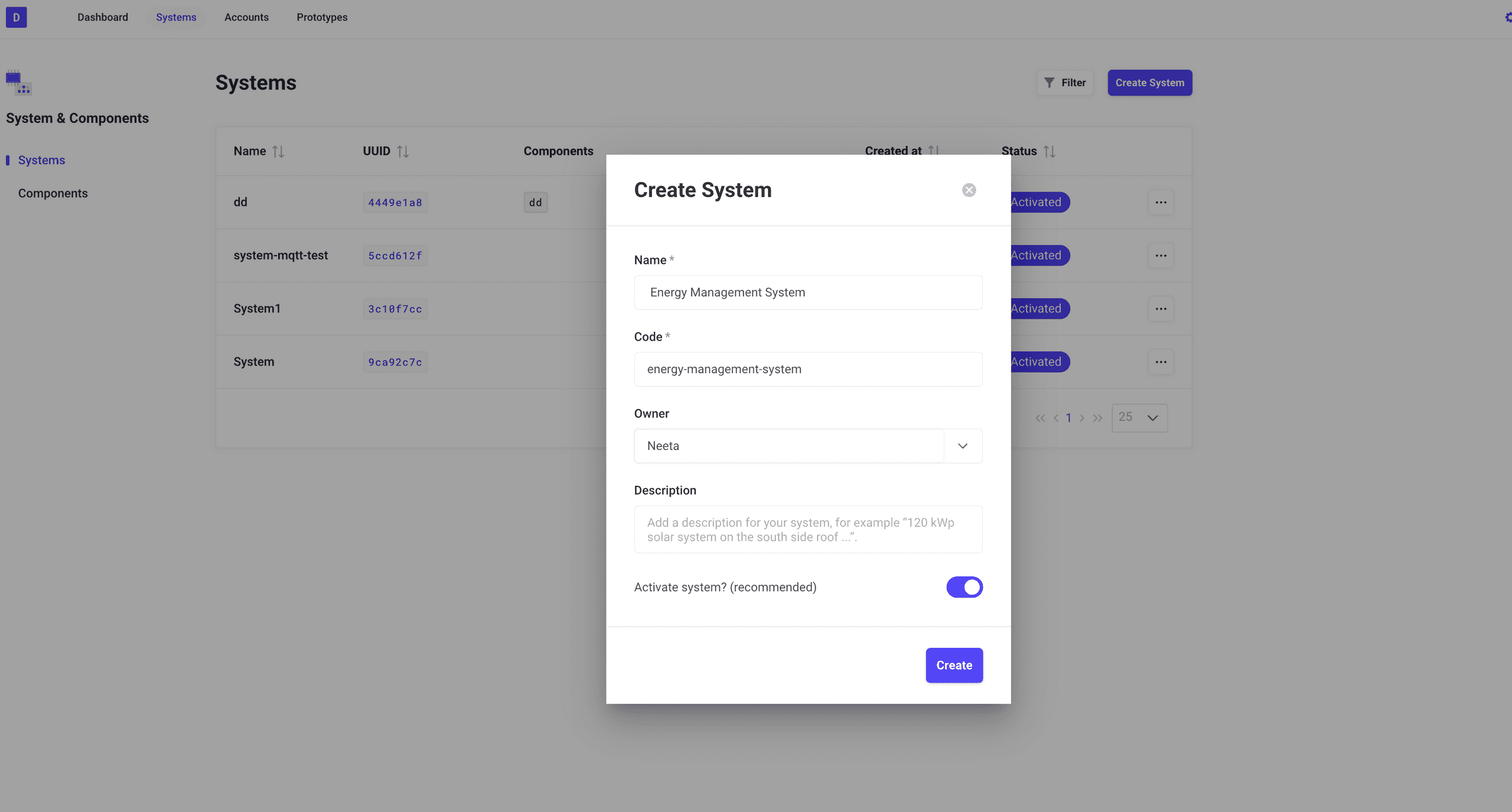
-
Generate MQTT Certificates: Secure communication with the DRIVR platform by generating MQTT certificates for your
EMSSystem. Refer to the Certificate-Based Authentication - MQTT guide.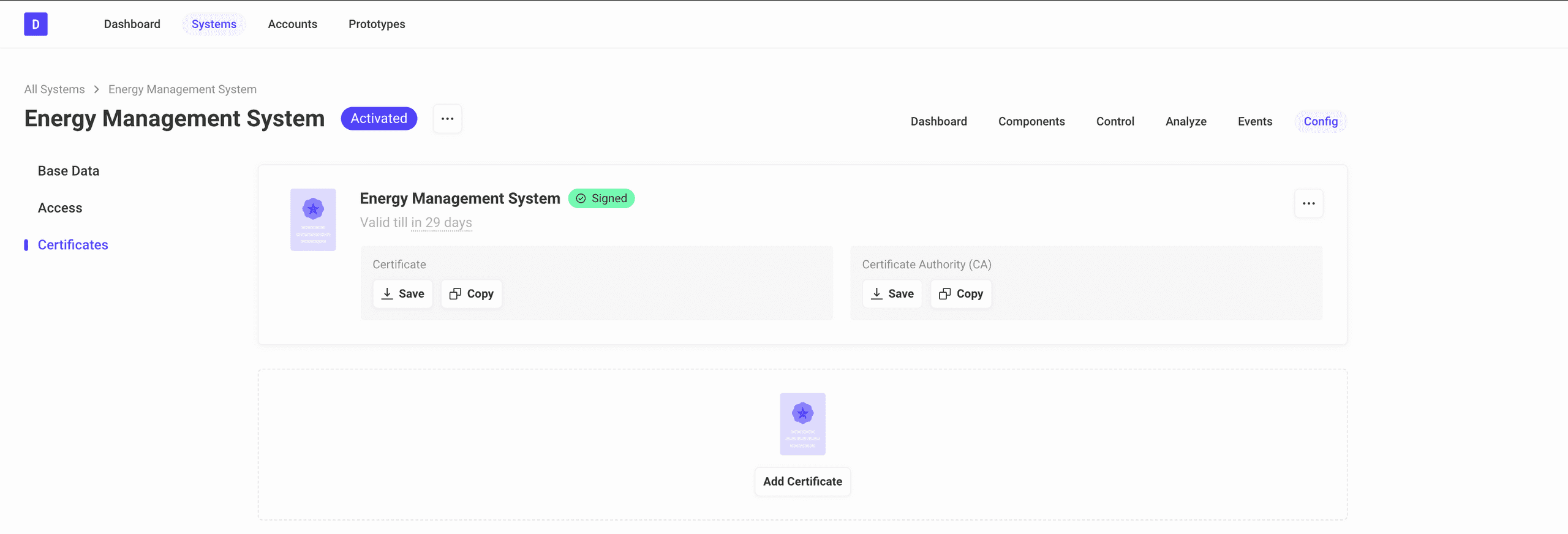
NOTE: Replace client.key, certificate.pem, and ca.pem with the actual paths to your generated certificate files that you have created in the prerequisites.
You can use any MQTT client to interact with the DRIVR MQTT Broker. We recommend using MQTTX Client.
-
Please install the application on your machine and use it to connect to the DRIVR platform as shown below:
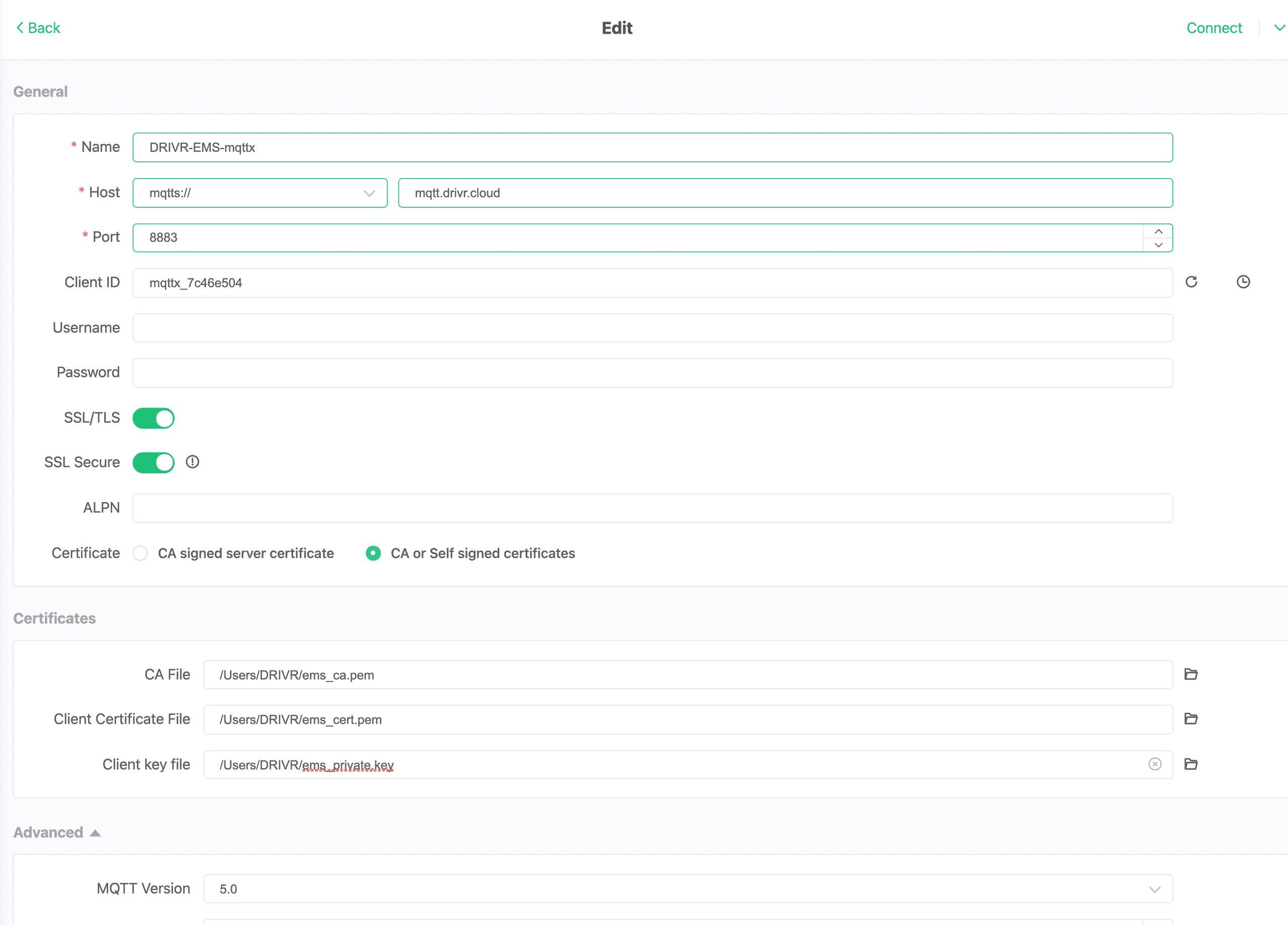
-
You can also use the command line interface (CLI) to connect to the MQTT broker. Below is an example of how to connect using the
mqttxCLI:mqttx conn -h mqtt.drivr.cloud -l mqtts -p 8883 --key client.key --cert certificate.pem --ca ca.pem
The Last Will functionality in MQTT is a feature that lets a client specify a message (the "Last Will and Testament" or LWT) when it connects to the broker.
If the client disconnects unexpectedly (for example, due to a network disconnect), the broker automatically publishes this Last Will message to a specified topic.
-
It notifies other clients that the client has gone offline or is unavailable, enabling better monitoring and fault detection in IoT systems.
-
A device can set its Last Will message to indicate "offline" status. If it disconnects abruptly, subscribers to the status topic will receive this message and know the device is no longer active.
For more details, see: Use of MQTT Will Message
Once the prerequisites are completed and you have selected the MQTT client, proceed to the actual usecases to learn how to manage systems, components, datapoints, setpoints and events in real-time using MQTT APIs.
RECOMMENDATION: Always subscribe (SUB) to the relevant topics before publishing (PUB) a request. This ensures you can immediately receive responses or updates on the SUB topic after sending a PUB request. Additionally, subscribing to error topics beforehand is highly beneficial, as it allows you to quickly identify and troubleshoot any issues that may arise during the process.